
How to Mute a Video (Remove the Audio Track)
To mute a video permanently in the exported file, remove its audio track and save a new copy. Turning down your player or phone only changes what you hear. For a browser workflow, upload the clip to the mute video tool, export it, download the MP4, and check that the result contains no audio streams.
We build CompressVid and have a commercial interest in recommending it. The product measurements below use a self-generated sample. Apple and Google instructions are documentation checks, not new physical-device tests.
Muting playback and removing audio are different
A player’s speaker button can silence a video that still contains its complete soundtrack. Send that original file to someone else, and their player can turn the sound back on. The same applies when an app starts a feed video muted by default: the absence of sound on your screen tells you nothing about the file.
An exported file with zero audio streams has no embedded soundtrack for another player to restore. Keep the original separately if you might need its dialogue or music later. Removing audio from a copy does not erase the original from your phone, backups, messages, or other places you previously shared it.
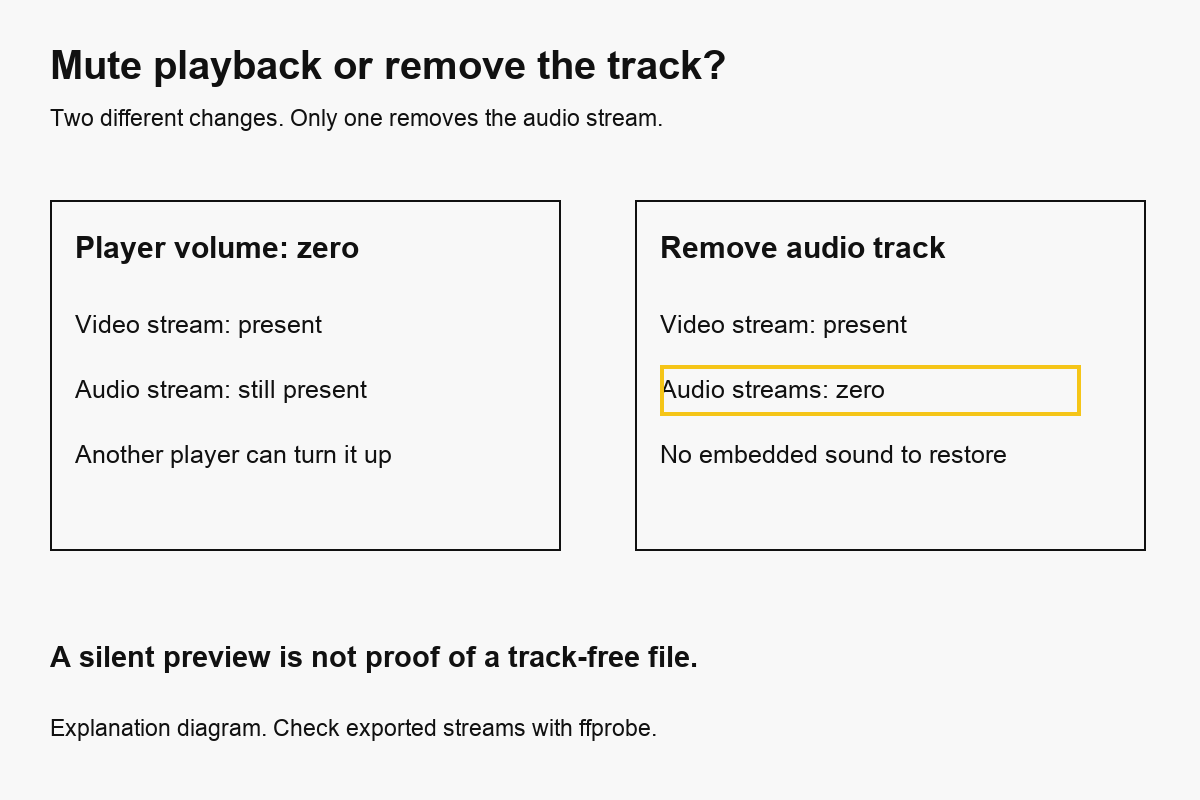
| Action | Audio still inside the file? | Suitable for sharing a track-free copy? |
|---|---|---|
| Turn down the phone or laptop volume | Yes | No |
| Click the player’s mute button | Yes | No |
| Set a clip’s volume to zero in an editor | Export-dependent; a silent track may remain | Verify the exported streams |
| Remove the audio track from the export | No, when all audio streams are excluded | Yes; check the finished file |
This distinction matters for screen recordings with a private conversation, B-roll intended for new narration, and product demos where background noise distracts from the picture. If you only want quieter dialogue, edit the audio level instead. Muting removes speech and music together; it does not separate a voice from wind or selectively remove one speaker.
How to mute a video online
1. Choose the original file
Open the video muter and choose the clip. Common accepted extensions include MP4, MOV, WebM, MKV and AVI, but the decoder still has to understand the codecs inside. An extension alone does not guarantee that a damaged or unusual recording will process.
Check the filename and preview before exporting. Two clips with similar thumbnails can contain very different conversations. Work from the original rather than a repeatedly compressed download, especially when text, faces or fast motion matter.
The browser preview is local, but processing uploads the file to FreeConvert. Consider whether that is appropriate for your footage. If it contains material that must remain on your device, use the local FFmpeg method below or an approved offline editor.
2. Export the silent copy
Press Mute video. This tool removes audio and re-encodes the picture as H.264 MP4 using CRF 21 and the veryfast preset. It does not offer a video stream-copy mode, so retaining the same dimensions is not a guarantee of unchanged image quality.
No watermark is added. The picture and duration are intended to remain, but inspect the result when source timestamps, variable frame rate or unusual metadata matter. Our measured sample retained 1920×1080, 30 fps and ten seconds; that observation does not establish identical behavior for every recording.
3. Download and verify the file you will share
Save the result promptly. The download link is temporary, valid for about four hours in the product workflow. Link expiry is not evidence that every provider copy has been deleted; see the privacy policy for the processing and storage explanation.
Play the downloaded copy, check its opening and ending, and confirm the filename differs from the original. For a sensitive sharing decision, also inspect the audio streams. A muted preview, a disconnected speaker or a zero-volume player is an incomplete check.
A measured silent export
On October 13, 2026, we submitted CompressVid’s actual mute job settings through FreeConvert’s API and inspected the downloaded output with ffprobe. The input was a synthetic ten-second test pattern with a 440 Hz tone, generated locally with FFmpeg. It contained H.264 video and one AAC audio stream.
| Measurement | Source | Cloud mute export |
|---|---|---|
| Duration | 10.000 s | 10.000 s |
| Coded resolution | 1920 × 1080 | 1920 × 1080 |
| Frame rate | 30 fps | 30 fps |
| Video codec | H.264 | H.264 |
| Audio streams | 1, AAC | 0 |
| File size | 10,645,710 bytes | 7,542,716 bytes |
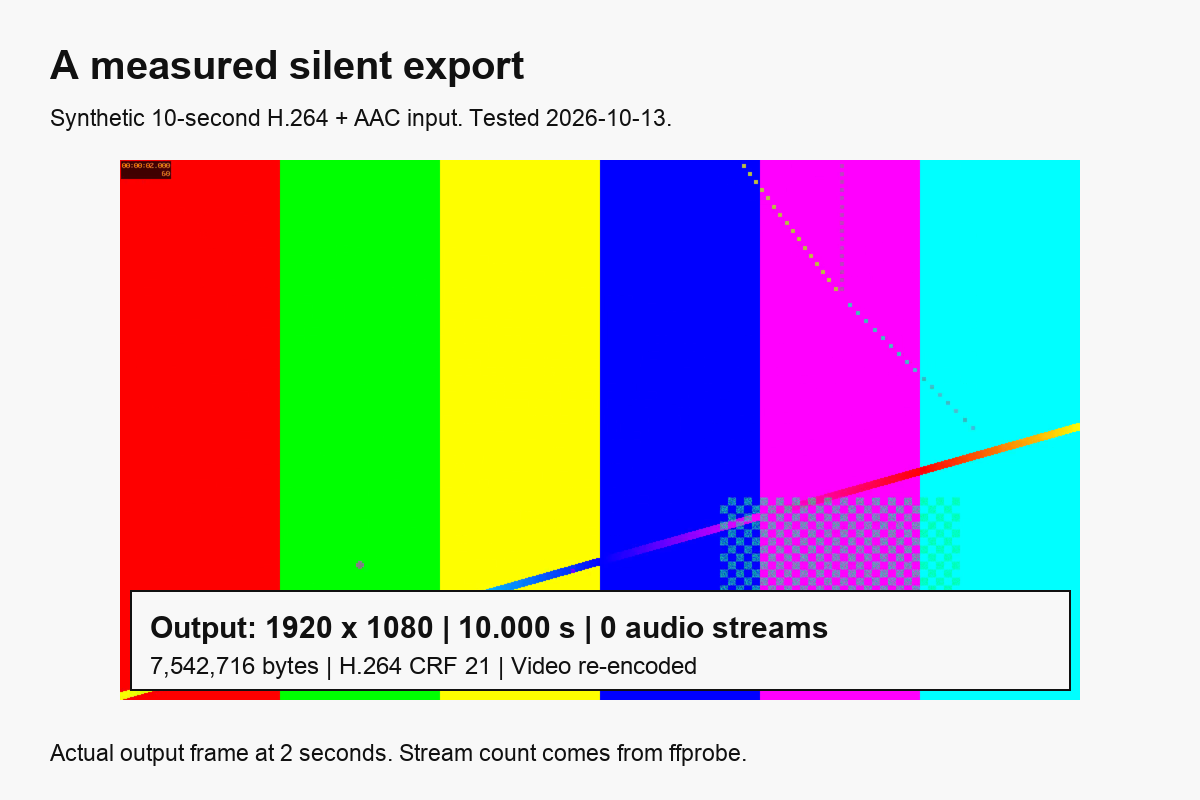
The smaller output does not mean deleting the AAC track saved all those bytes. The picture was also re-encoded with different quality settings. To isolate audio removal, we made a second, local stream-copy export: 10,482,004 bytes, with no audio streams. Its copied video payload had the same SHA-256 hash as the source video payload.
The public measurement record contains settings, hashes and the source-generation reference. These are API and local-command measurements, not a cloud speed ranking or a perceptual quality score.
How to mute a video on iPhone or Android
You have two useful choices: export through a browser, or edit in an app already suitable for the file. The browser steps above work without installing another editor, but they need an upload and download. An installed editor may suit offline work better.
iPhone, using iMovie. Apple’s official audio instructions say to open a movie project, select the video clip in the timeline, tap Audio, then tap Mute beside the volume slider. Export the edited project through the app’s sharing controls. This mutes that selected clip; check other music, voiceover and audio clips in the project too. Do not assume every project track disappeared just because one clip shows a mute icon.
Android, using Google Photos. Google’s video editing guide currently distinguishes non-Pixel Mute controls from the Audio controls on supported Pixel devices. Open the video, use the documented mute control for your device, and save the edited copy. Names and available features depend on the app and device. Follow the current guide rather than looking for an icon from an old screenshot.
Those manufacturer guides establish how to silence a clip in their editors. They do not establish that every exported file has zero audio streams. If your requirement is specifically “no audio track,” inspect the saved file with the method below.
Remove audio without re-encoding the picture
If FFmpeg is installed and the input video codec can be carried in MP4, this local command copies the first video stream and excludes audio:
ffmpeg -i input.mp4 -map 0:v:0 -c:v copy -an muted.mp4
The FFmpeg documentation describes stream copy as transferring encoded packets without decoding and encoding them. -map 0:v:0 selects the first video stream, -c:v copy copies it, and -an disables audio output.
The command intentionally selects only video. It does not preserve every subtitle, attachment or auxiliary stream. It also does not promise to remove sensitive visual content or all metadata. Use a fresh output filename; FFmpeg will ask before overwriting an existing file unless you explicitly enable overwriting.
MP4 cannot carry every possible source codec. If a container or codec combination is incompatible, use a compatible output container or re-encode the video. A MOV file containing H.264 and a WebM file containing VP9 are not equivalent just because both play in a browser.
Verify that the export contains no audio
For a local file, run:
ffprobe -v error -select_streams a \
  -show_entries stream=index,codec_name \
  -of json muted.mp4
An empty streams array means ffprobe found no audio streams in that file. Selecting a examines all audio streams, including alternate-language tracks. Do not check only the first track of a multi-track recording.
This verifies file structure, not the entire privacy of the content. A screen recording may show names or passwords visually. Captions can repeat dialogue even after audio removal. Review the picture and any text before sharing, and remember that a platform may add its own music later.
Common mistakes
Sharing the original after a successful export. Downloads folders often contain both files. Rename the silent copy clearly, such as demo-muted.mp4, and attach that exact file.
Using mute to satisfy a size cap. Removing a short AAC soundtrack may save relatively little. If the picture dominates the file, use a size target and check the actual bytes. The large change in our cloud example includes video re-encoding.
Expecting mute to remove copyright obligations. Removing a soundtrack removes that sound from the exported copy. It does not establish permission to use the visuals or guarantee that a platform will approve the upload.
Trying to restore audio from the silent copy. If the track is absent, a player cannot recover it. Return to the original or to an editor project that retained the source.
FAQ
Can I mute only part of a video?
This tool removes audio for the whole export. For selective silence, use a timeline editor that can split a clip and adjust audio per section. Check for clicks at boundaries and any separate music tracks.
Can I remove background noise but keep the voice?
Whole-track removal cannot do that. You need noise reduction or source separation, and results depend on the recording. Preview the speech before replacing your original.
Does a muted video become a GIF?
No. The result remains an MP4 video without audio. An animated GIF is a different format with different color and compression limits. Follow how to make a GIF from a video for a short image loop.
Is muting lossless?
Video stream copy can preserve the encoded video payload, as our local test demonstrates. CompressVid’s cloud mute export re-encodes H.264, so it can change quality. Neither approach restores sound after the audio track has been removed.
How we tested and checked
- 2026-10-13: one synthetic 1920×1080/30 fps H.264+AAC source; cloud API job using
buildMuteJob, followed by localffprobe. A separate local stream-copy test compared encoded video-payload hashes. - Official references: FFmpeg stream copy and audio options, Apple iMovie audio controls, and Google Photos video editing, checked on that date.
- The figures distinguish an explanatory diagram from an actual decoded output frame. No customer footage was used. No physical iPhone/Android test or perceptual quality measurement is claimed.
To shorten the same clip, trim the video. To change its dimensions, follow how to resize a video. To keep the soundtrack as a separate file instead of deleting it, use video to MP3.