
WhatsApp Video Size Limit (2026): 100 MB Media, 2 GB Documents
By the CompressVid Team — we build CompressVid, a free online compressor. Disclosed interest: we prefer workflows that use a target file size. Numbers below were checked against WhatsApp’s own Help Center on 2026-10-08; verify current limits before you rely on them.
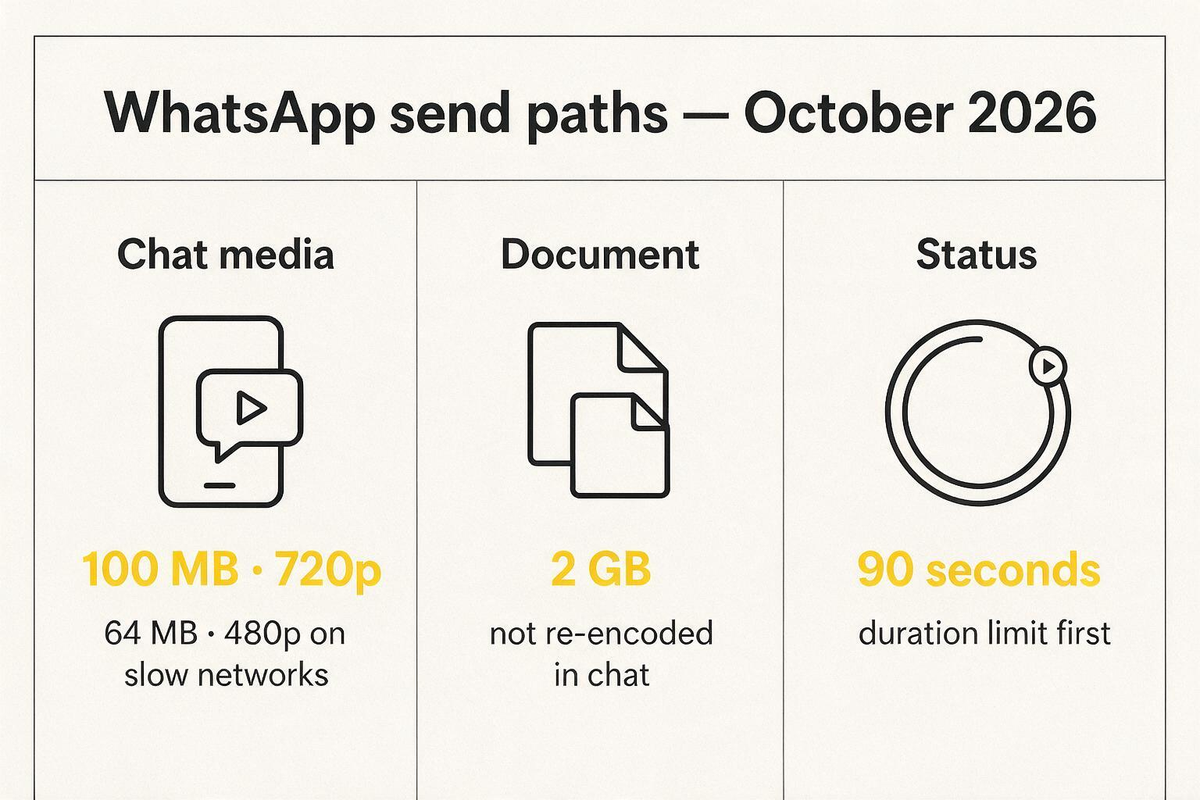
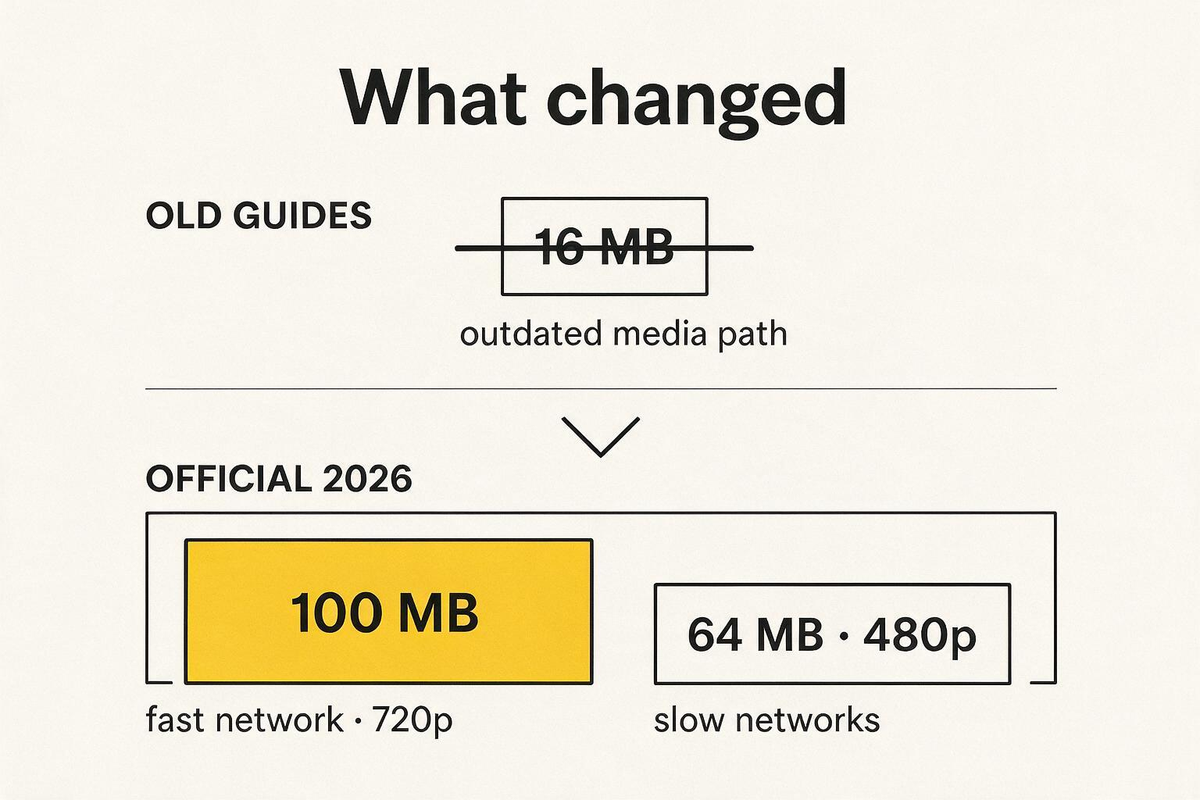
WhatsApp’s default video size limit is 100 MB at up to 720p on a fast connection, and 64 MB at up to 480p when the connection is slow. Documents go up to 2 GB. Status videos are capped at 90 seconds of length. If a tutorial is still telling you to crush every clip to 16 MB, that guide is behind WhatsApp’s current help center.
This page is the limit table with sources, the reason “16 MB” keeps circulating, and how to compress a video so it actually sends — and still looks like a video.
How we checked (and what we did not)
Here is exactly what we did.
What we did
On 2026-10-08 we opened WhatsApp Help Center’s media article — How to send media, contacts, or location — and read the Android and web tabs. The limit notes are the same on both:
| Note in the official article | Number |
|---|---|
| Default video size limit (fast connection) | 100 MB, up to 720p |
| Default video size limit (slow connection) | 64 MB, up to 480p |
| Status video duration | 90 seconds max |
| Document size | 2 GB max |
| HD media toggle | Not available for Status or avatar |
| Accepted video formats | 3GP, AVI, FLV, MKV, MOV, MP4 |
We did not run a full matrix of every phone build and every carrier. WhatsApp can still re-encode gallery media after you send it; the 100 MB / 64 MB figures are the intake limits the help center documents, not a guarantee of final playback quality.
We did not invent star ratings, user counts, or a “WhatsApp recommended” badge. Pricing and product limits change — read the official article when it matters.
Why so many pages still say 16 MB
The 16 MB figure comes from older WhatsApp media behavior and from posts that never re-checked the help center. Plenty of guides — and even some search answer boxes — still mix 16 MB with the 2 GB document path. Treat any limit table without a checked date as suspect.
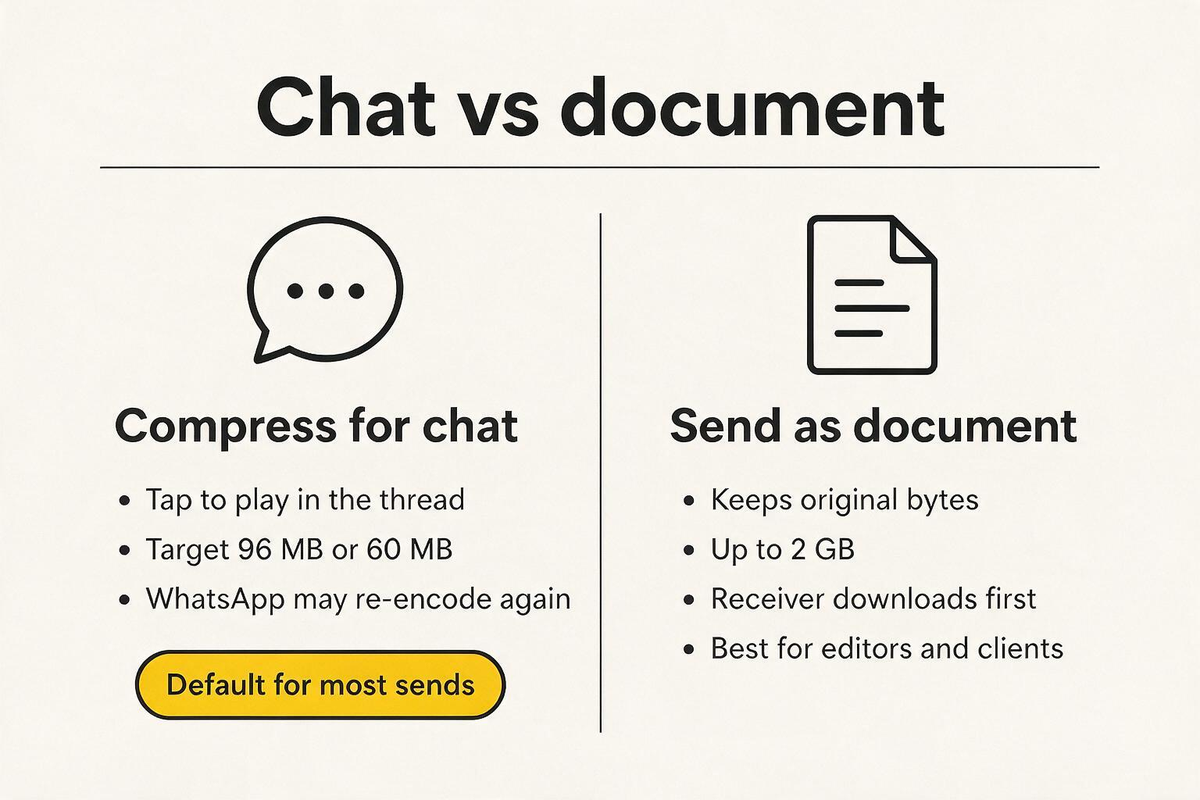
Practical rule: chat media → target 96 MB (fast) or 60 MB (slow). Documents → only when the receiver needs the original file. Status → trim under 90 seconds first, then size the file.
WhatsApp video limits by path (checked October 2026)
| How you send | Limit | Recommended video target |
|---|---|---|
| Chat media · fast network | 100 MB · up to 720p | 96 MB |
| Chat media · slow network | 64 MB · up to 480p | 60 MB |
| Status | 90 seconds duration | Under 90s · 60 MB is plenty |
| Document | 2 GB · not re-encoded in chat | Keep original only if quality matters more than tap-to-play |
| HD toggle | Not on Status / avatar | Compress before posting Status |
The limit applies to the file on the path you chose, not to “WhatsApp video” as one number. A 180 MB recording is fine as a document and too big as chat media on a fast link — and still illegal as Status if it runs past 90 seconds.
Chat media vs document (the decision most guides skip)
Chat media — for watching in the thread
- Instant play in the conversation.
- WhatsApp typically compresses gallery media on the way in, so quality can drop even when size is fine.
- Pre-compressing to 96 MB (or 60 MB) means you choose the trade-off: bitrate and resolution, not a mystery second pass.
- Use MP4 + H.264 so phone previews play without a download.
Document — for keeping the bytes
- Up to 2 GB.
- No chat re-encode of the video stream the way gallery media gets processed.
- Recipients download before watching. Fine for editors and clients; clunky for a family group chat.
Status — duration first
Status is a 90-second format. Compressing a three-minute video to 60 MB does not make it Status-legal. Trim the clip, then size it. HD media options do not currently apply to Status.
How to compress a video under WhatsApp’s limits
Use the free WhatsApp video compressor — presets match the numbers above.
1. Pick the path
| Goal | Path | Cap |
|---|---|---|
| Watch in chat | Gallery / media | 100 MB or 64 MB |
| Keep original quality | Document | 2 GB |
| Status | Status composer | 90 seconds |
2. Set the target slightly under
| Path | Cap | Target to type |
|---|---|---|
| Chat · fast | 100 MB | 96 MB |
| Chat · slow | 64 MB | 60 MB |
| Status | 90 s | Trim first · 60 MB |
| Legacy / old clients | (outdated 16 MB lore) | 16 MB only if you must |
Leave a little headroom so container and audio overhead do not push you over a hard intake check.
3. Mind length vs size
File size ≈ bitrate × duration.
| Length | Target | ~Total bitrate | Practical quality |
|---|---|---|---|
| 30 s | 96 MB | ~25 Mbps | Very sharp 1080p |
| 60 s | 96 MB | ~12 Mbps | Comfortable 1080p |
| 60 s | 60 MB | ~8 Mbps | Clean 720p–1080p |
| 89 s (Status) | 60 MB | ~5 Mbps | Good 720p |
| 5 min | 96 MB | ~2.5 Mbps | 720p or cut a highlight |
Long clips forced under a small cap become mush. A 60-second highlight usually beats five minutes of soft video.
4. Format that actually plays
WhatsApp accepts 3GP, AVI, FLV, MKV, MOV and MP4. MP4 + H.264 + AAC is still the format every phone preview plays without a download. Convert while you compress — that is one pass instead of two quality hits.
Quick reference card
| Question | Answer (October 2026) |
|---|---|
| Chat media limit (fast) | 100 MB · 720p |
| Chat media limit (slow) | 64 MB · 480p |
| Document limit | 2 GB |
| Status video | 90 seconds max |
| Safe chat target | 96 MB (fast) / 60 MB (slow) |
| Is 16 MB still the limit? | No — outdated guide number |
| Best chat format | MP4 · H.264 · AAC |
Alternatives when you cannot hit the cap
| Situation | What to do |
|---|---|
| Must keep full quality | Send as a document (2 GB) or a cloud link |
| Status longer than 90 s | Trim — compression cannot fix duration |
| Receiver on a weak network | Target 60 MB so the upload finishes |
| Group chat full of old phones | Prefer MP4/H.264; consider 16 MB only for known legacy clients |
| Working with an editor | Document or link — do not re-encode twice |
FAQ
What is the WhatsApp video size limit right now?
100 MB at up to 720p on a fast connection, 64 MB at up to 480p on a slow connection, for chat media. Documents allow up to 2 GB. Status videos max out at 90 seconds. Checked 2026-10-08 against WhatsApp Help Center.
Is WhatsApp’s video limit still 16 MB?
Not according to the current help center. 16 MB is an older media-path number that many blogs still copy. Keep that target only for third-party or legacy constraints you can verify.
How do I send a large video on WhatsApp without compression?
Attach it as a document (up to 2 GB). The receiver downloads before playing. Chat media is the wrong path for huge originals.
How long can a WhatsApp Status video be?
90 seconds. Trim first, then compress. HD toggles do not apply to Status.
Why is my WhatsApp video blurry after sending?
Gallery media is often re-encoded in transit. Pre-compressing to 96 MB / 60 MB and sending MP4/H.264 reduces double compression. For critical quality, use the document path.
Does zipping a video help it send on WhatsApp?
Barely. Video is already compressed; a zip rarely shrinks it enough. Re-encode to a lower bitrate or smaller resolution instead.
Related: Compress a video for WhatsApp · Target-size compression · Discord file size limit · Compress video for email